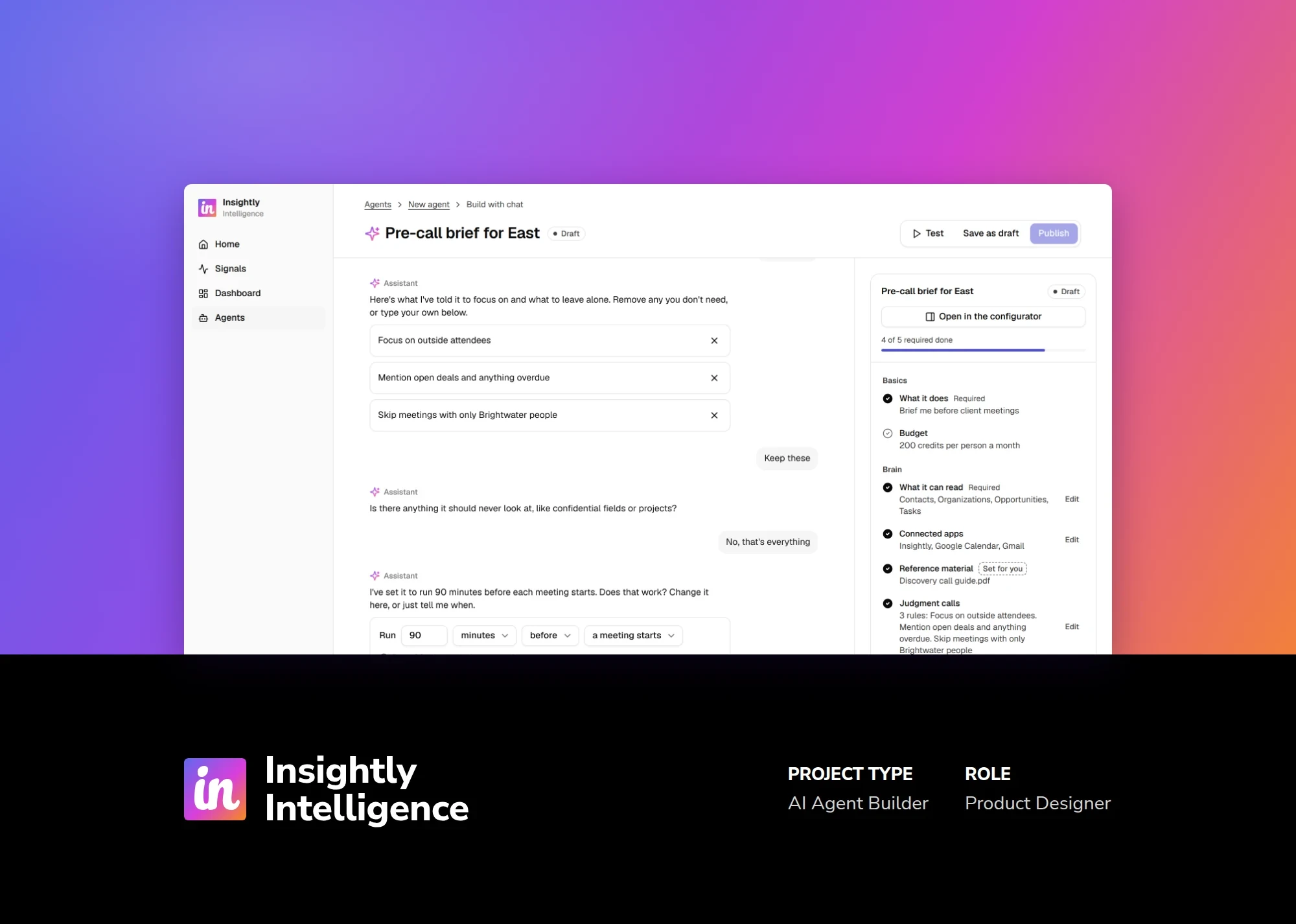
Insightly needed an agent builder simple enough for first-time builders, yet robust enough to build custom agents for customers' needs.
My role
Product designer and researcher. I interviewed 6 customers, mapped the flows by hand in FigJam, and built a clickable prototype with Claude.
The team
The head of design, a product manager, an engineering manager and 1 engineer
The outcome
Not shipped yet. The prototype helped define a list of out-of-the-box connectors and led to technical spikes on how to build them.
Insightly Intelligence is an agent-focused AI platform that sits alongside Insightly CRM. The focus is to leverage agents to help with various CRM tasks, from providing meeting notes and linking them to records, to invoice creation that manages sensitive information.
We needed an agent builder that is capable of building stock, out-of-the-box agents, while being robust enough to build custom agents that cover our customers' needs.
Who builds agents
Building an agent touches three roles: the person who owns the customer relationship, the person who owns the CRM setup, and the person who owns the results. In a small business, one person wears all three hats. In a large company, they're separate people, sometimes whole teams.
Role
Small business
Mid-size
Large company
Deal Owner
Same person
Separate
Separate
System Owner
Same person
Often the manager
Team of 5
Outcome Owner
Same person
Same as System Owner
Separate
What the research revealed
We assumed
We found
So the design
Every agent action would need approval
People wanted to approve actions at first to make sure the agent was doing its job right. Smaller companies were happy to hand off small, repetitive work like data entry and admin tasks.
Lets each tool that changes records wait for a person's review, or act on its own once it's trusted
The risk to design for was agents making mistakes
The bigger worry was not knowing when something stopped working. One customer lost six months of follow-ups because an automation stopped running without anyone noticing.
Flags any agent that needs attention, and keeps an activity log of every run
Privacy was a compliance box to tick later
Privacy came up right away. Two of six customers raised privacy concerns before they'd even discuss agents.
Asks what the agent should never look at, and lets you set exclusion rules
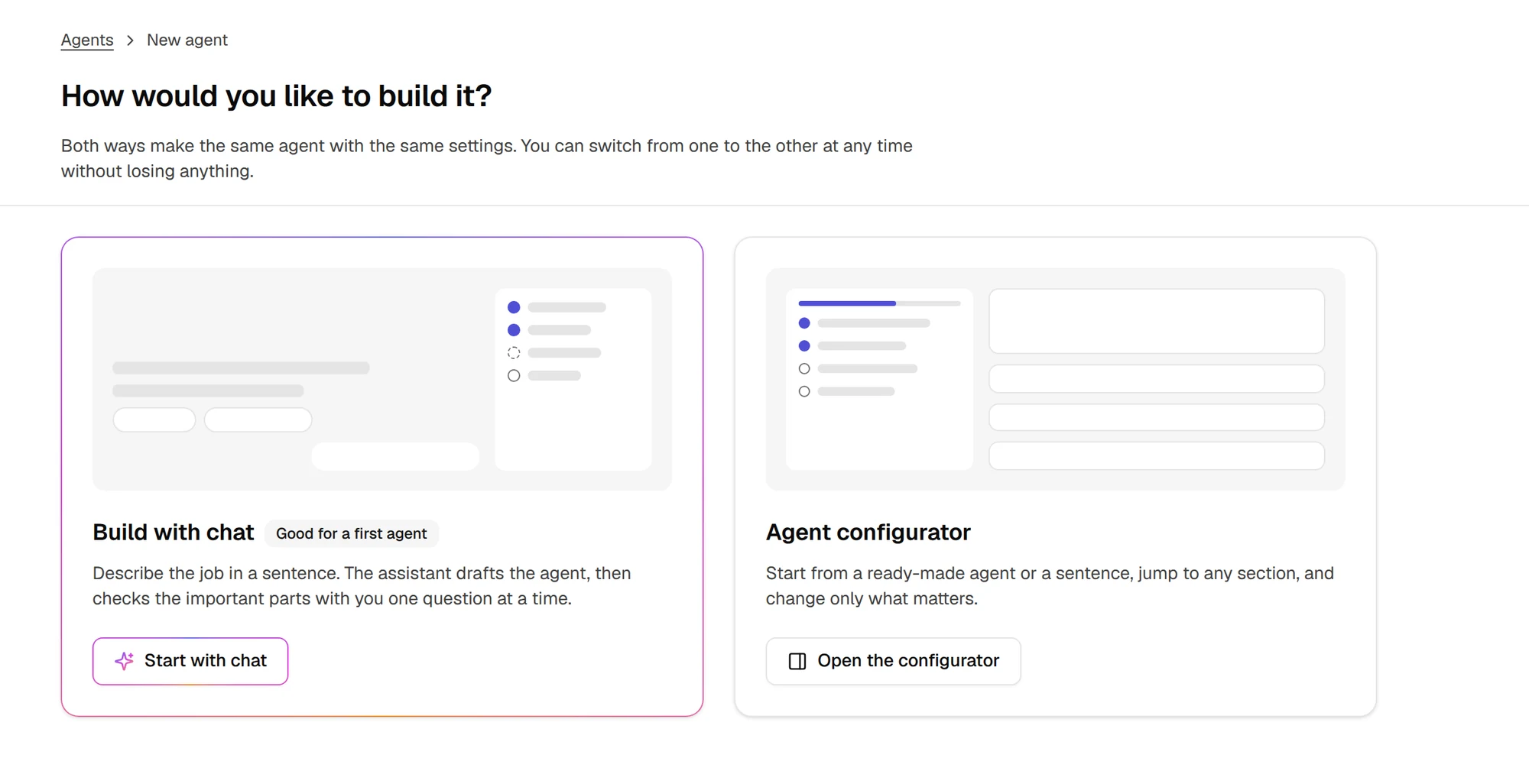
This led to the builder having two ways to build an agent: a guided chat for first-time builders, and a full configurator for people who know exactly what they want.
Two ways to build the same agent, with the option to switch between them at any time
The flows were mapped by hand in FigJam. The screens come from a working, clickable prototype I built with Claude, using those maps as the blueprint. I also used Claude for research and to refine my prompts along the way.
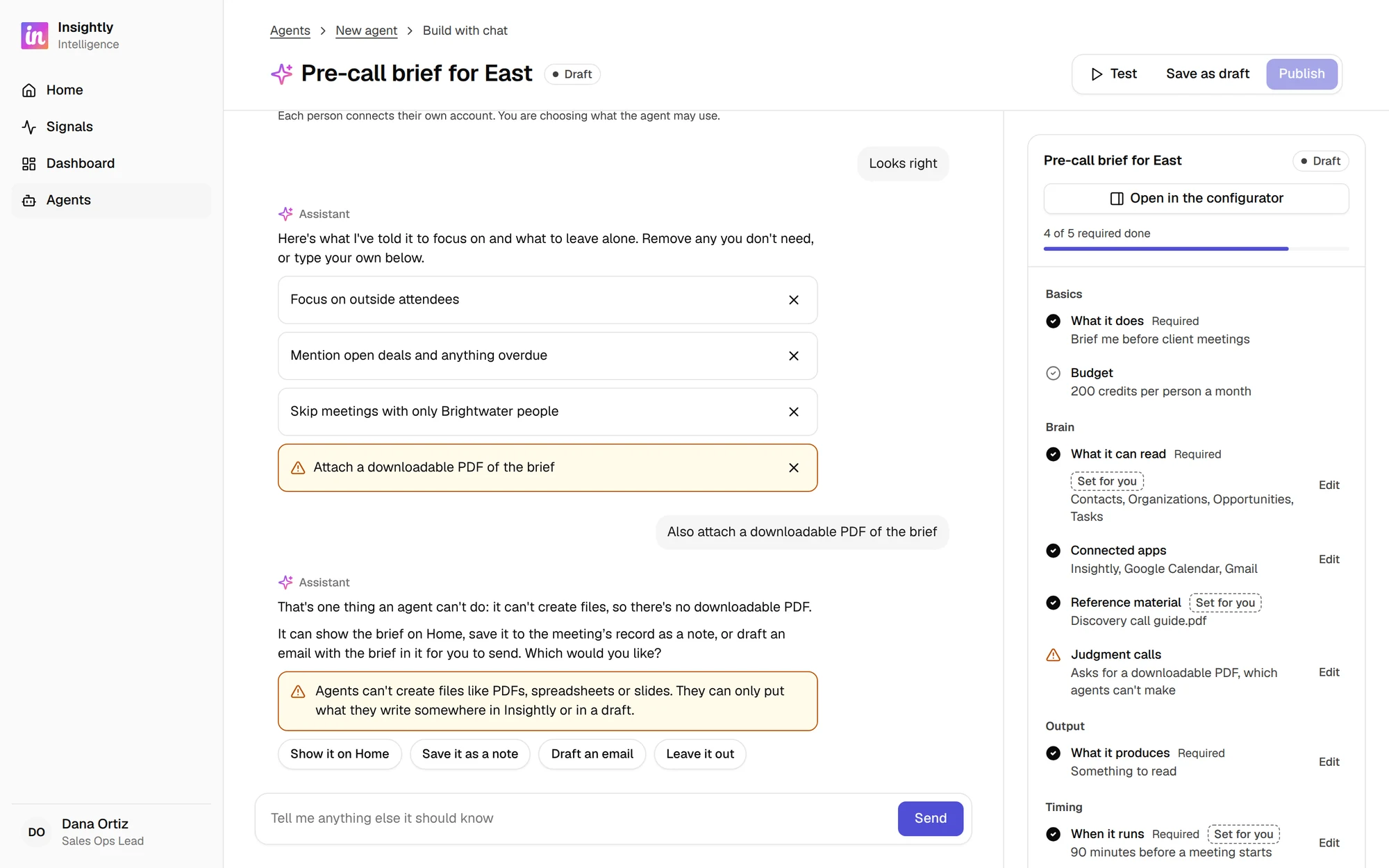
A chat option was built as a first-timer-friendly, natural language way of building an agent. Our customers often don't have dedicated resources for building agents, so it becomes a task they take on alongside their day-to-day job duties. At the same time, this tool needed to serve our own professional services team, who could use it to build agents for our customers.
The chat acts as the canvas for building, while the right side panel shows the agent being built in real time so users can see it come together. Each answer fills in the panel as it's set, and Publish is enabled once all required items are complete.
When asked for something an agent can't do, like creating a PDF, the chat explains why and offers alternatives
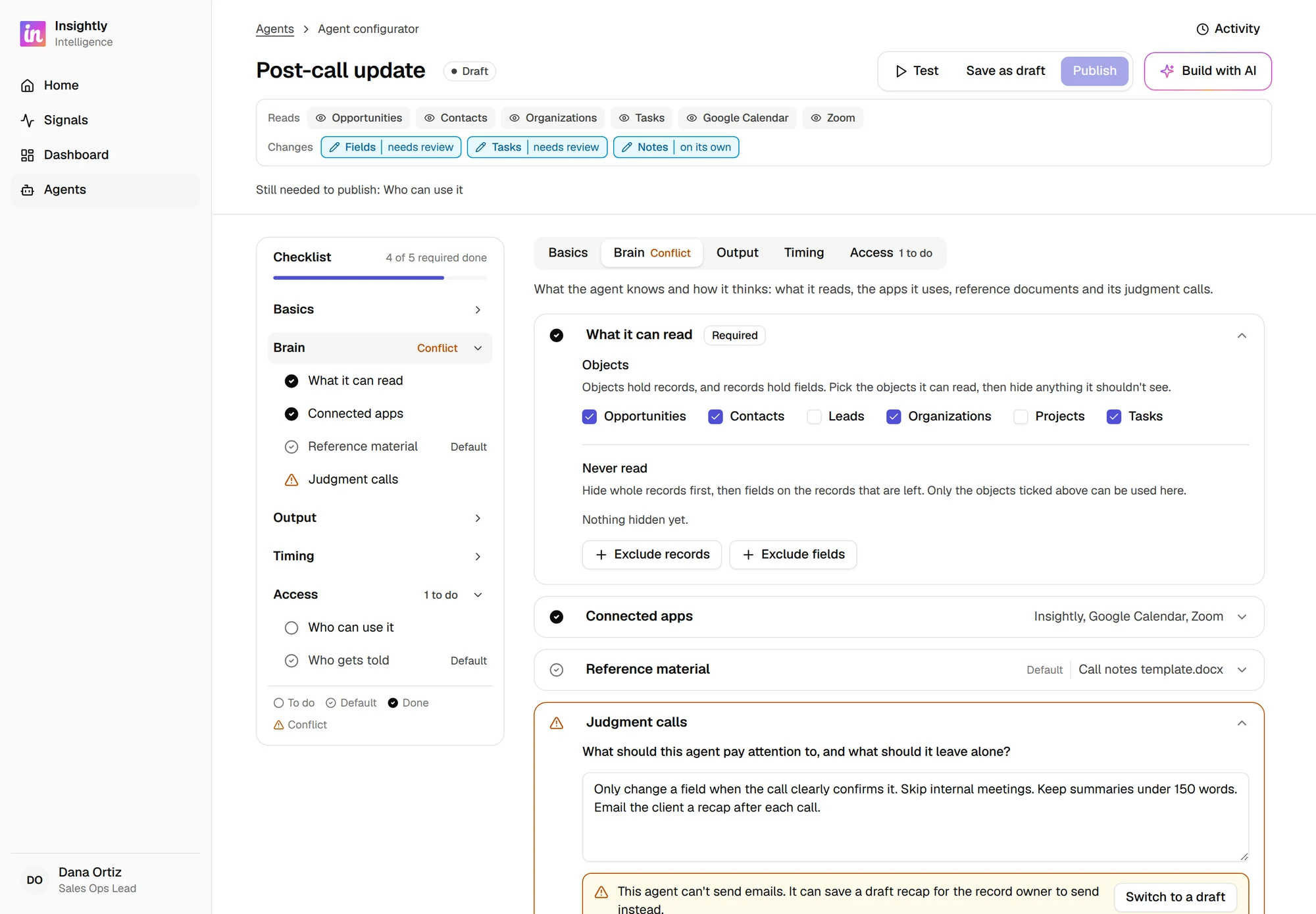
The agent configurator is for users who need carte blanche when building and designing an agent, with as much control as possible. It's not made for beginners, but it is designed so beginners could use it too.
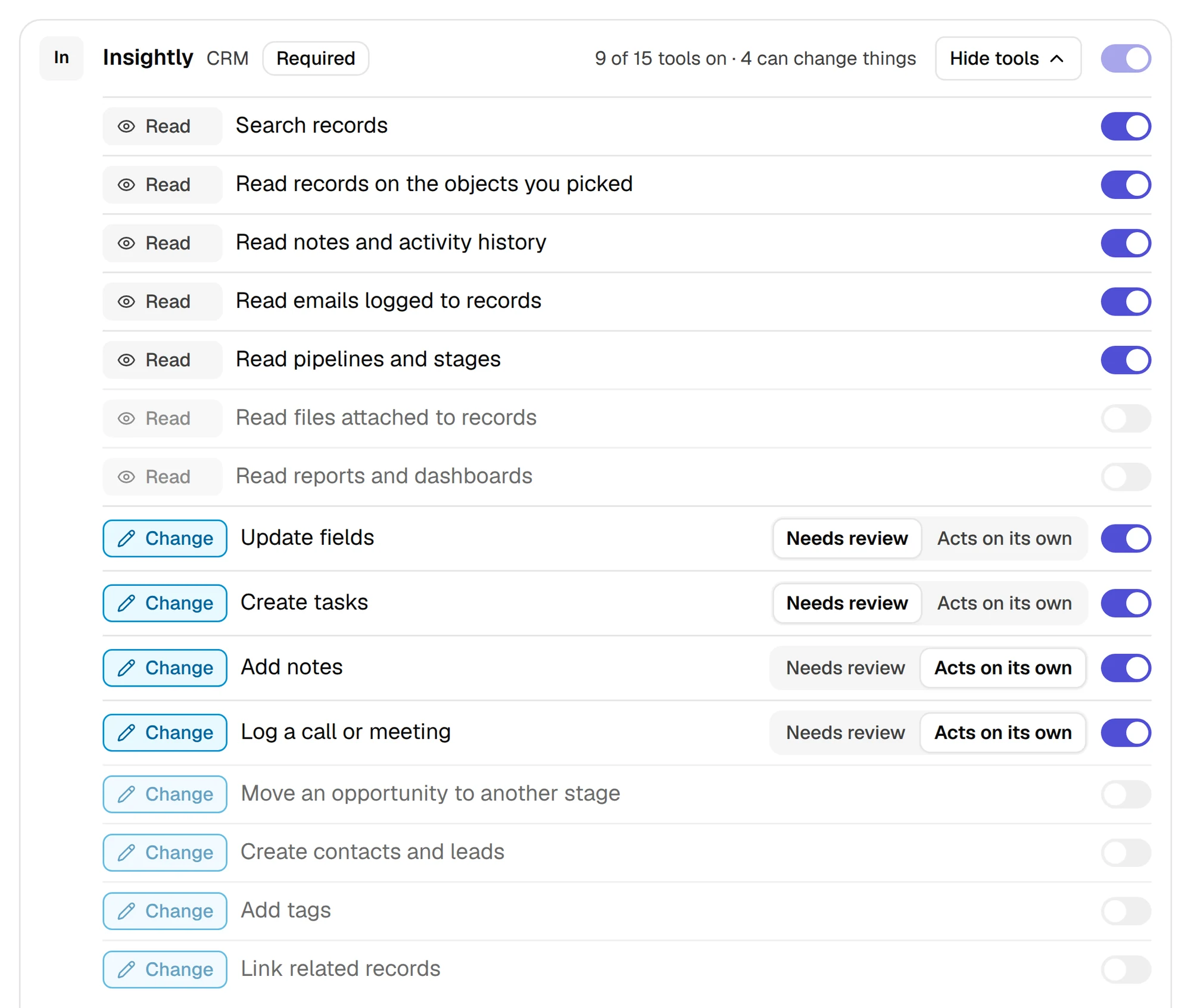
The configurator keeps what the agent can read or change visible at all times, giving users confidence that they're always in control.
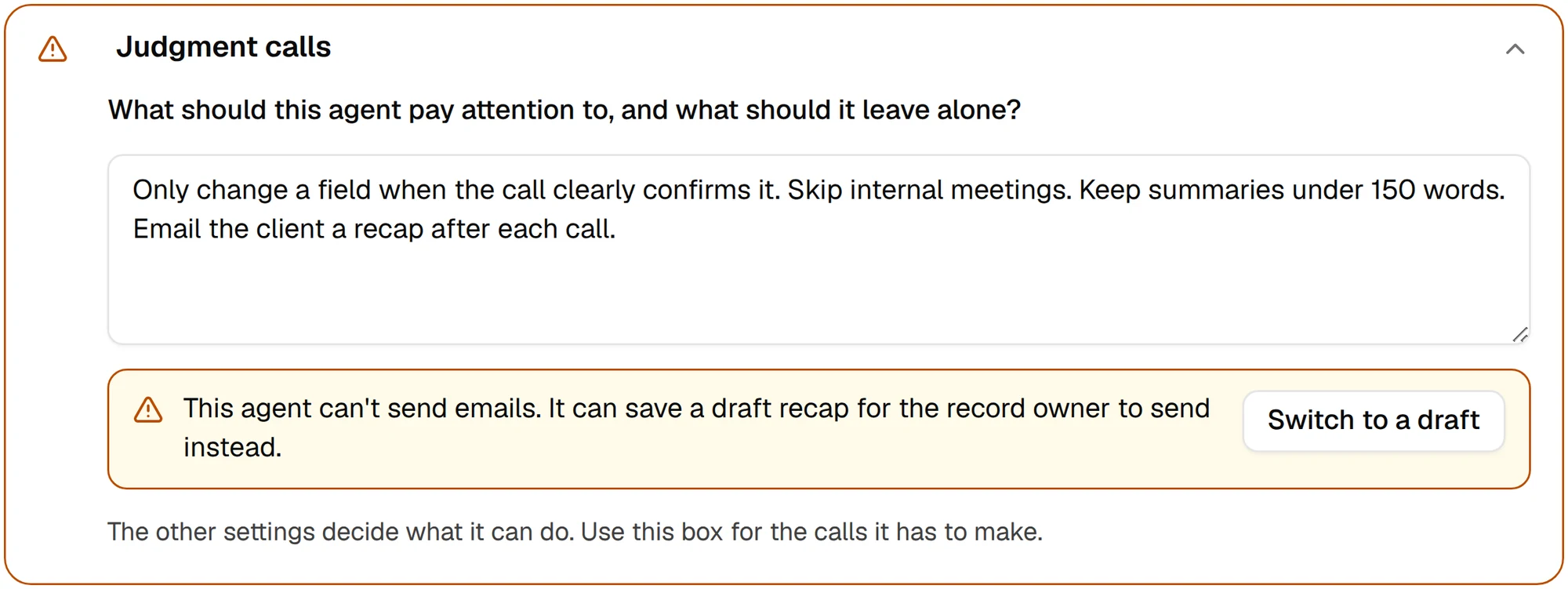
What the agent can read (grey) and change (blue), visible at a glanceTools can be turned on individually, and any tool that changes records can be set to need reviewInstructions that ask for something the agent can't do are flagged with a one-click fix
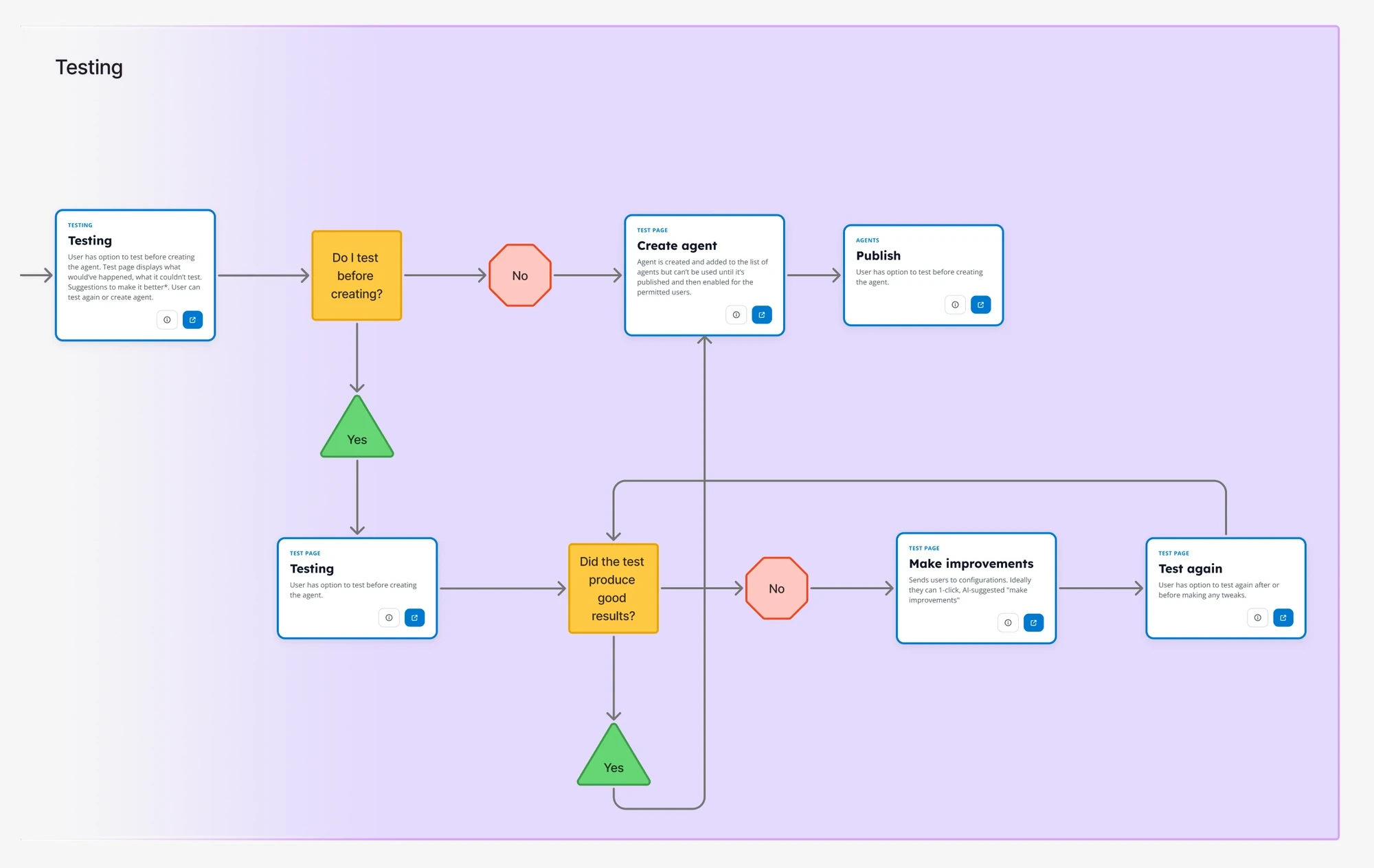
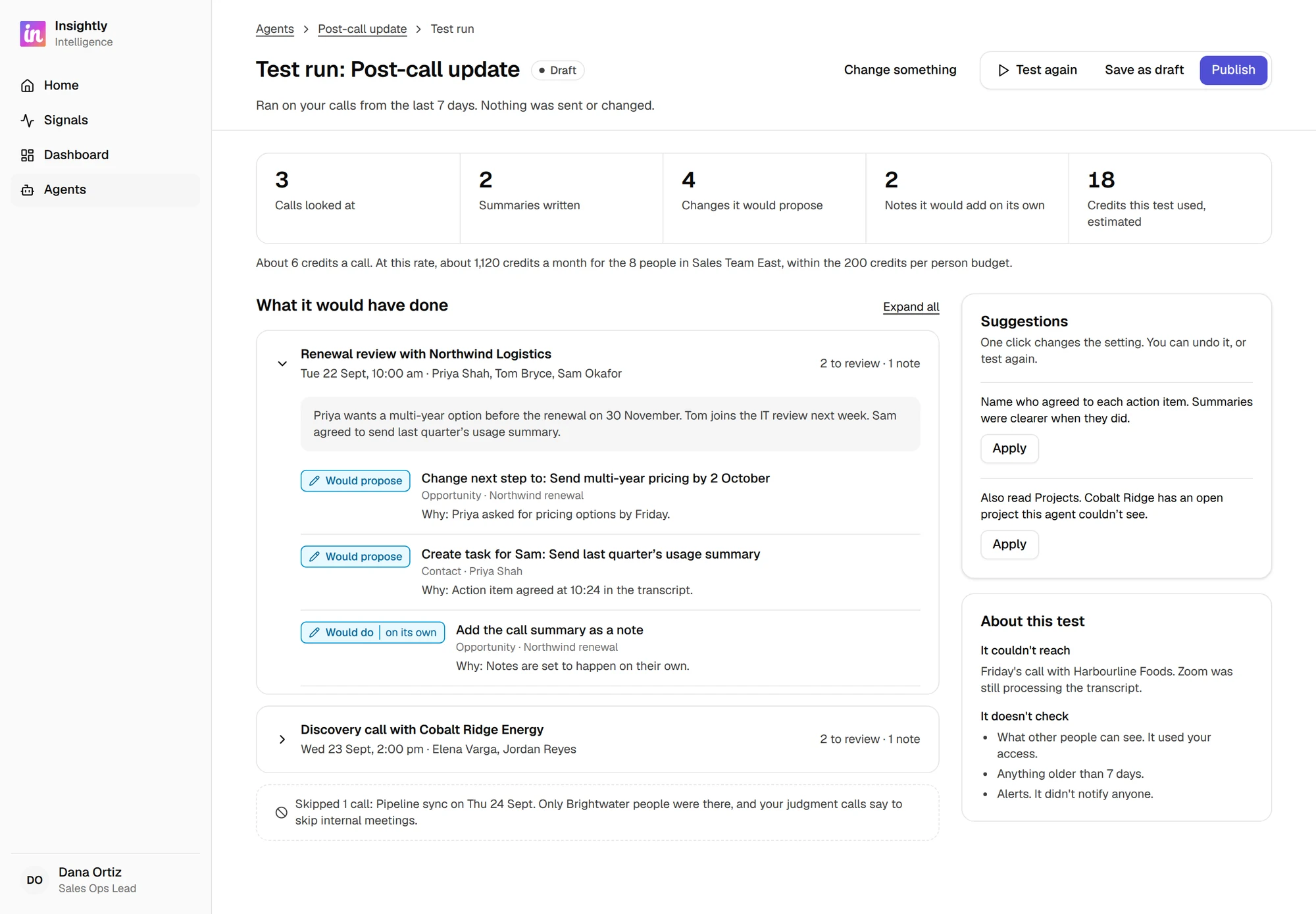
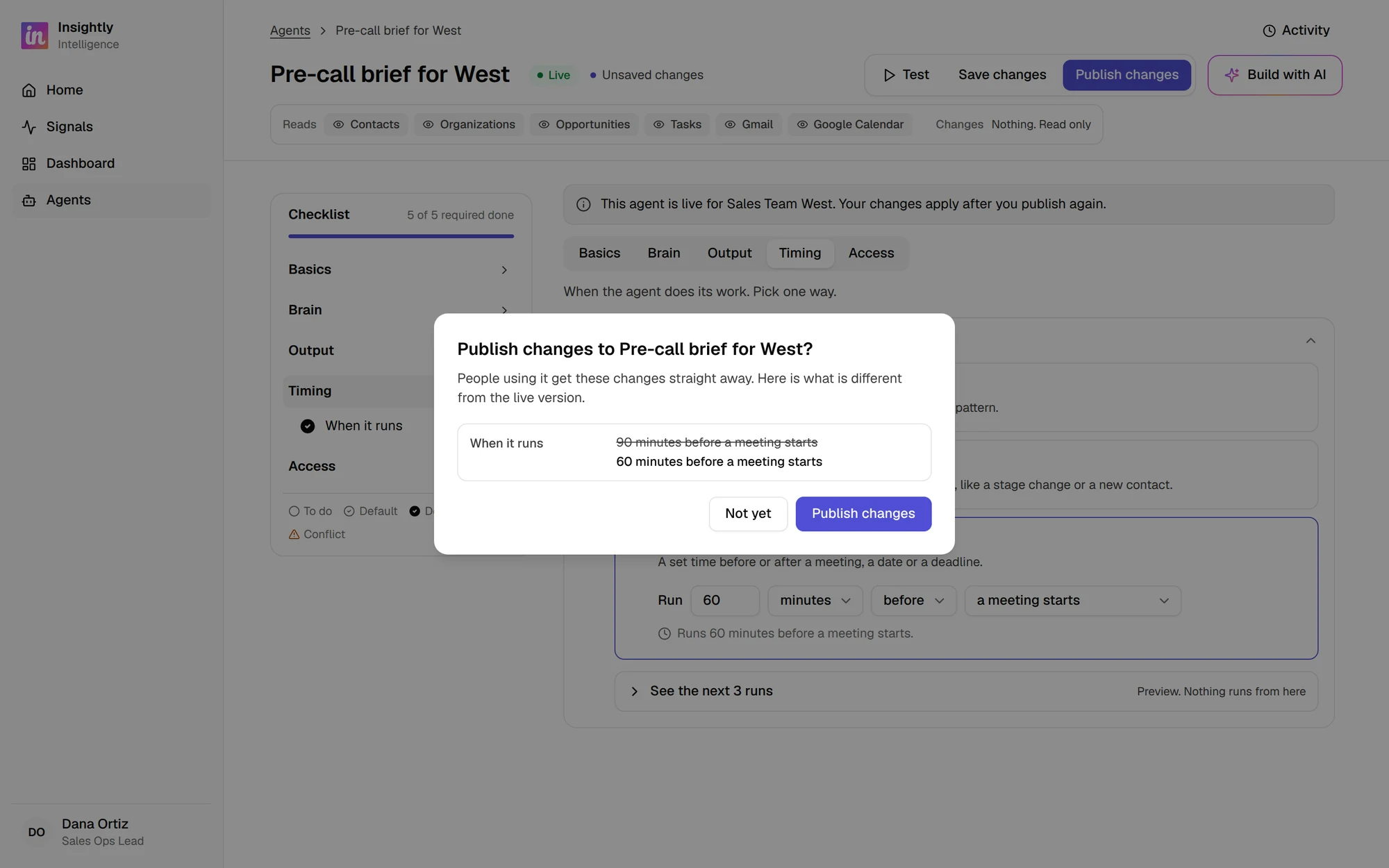
The workflow starts with a draft, moves to a test run and ends with publishing the agent. Again, this is to give confidence that the agent is working as intended. Although that is the intended and desired workflow, we don't lock users into it, so it's possible to publish without testing.
The testing workflow: test, make improvements, then test again or publishTest runs use real data when available, or placeholder data if not, and never change any records. Suggested improvements can be applied or reverted in one clickPublishing changes shows what will be different for people already using the agent
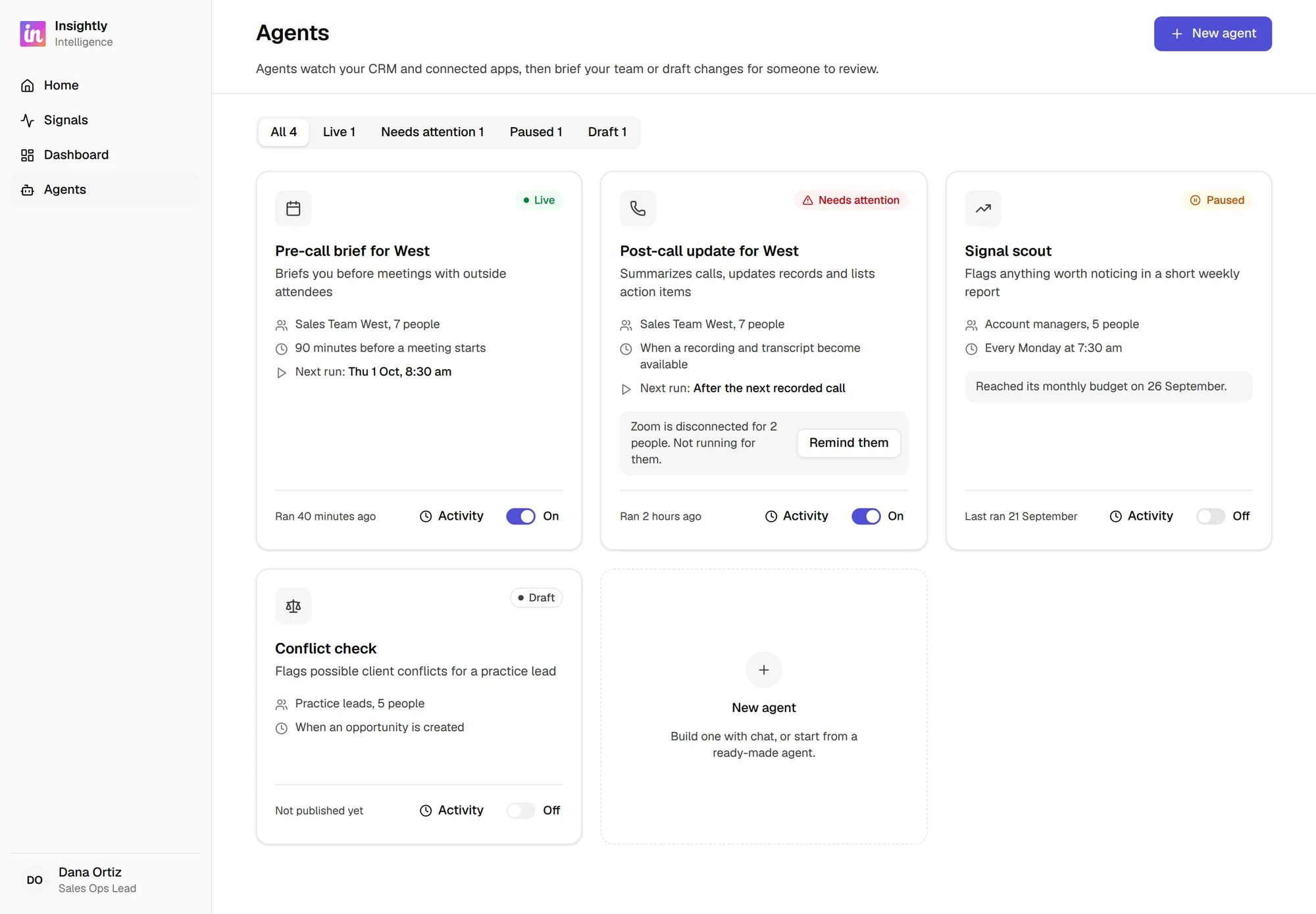
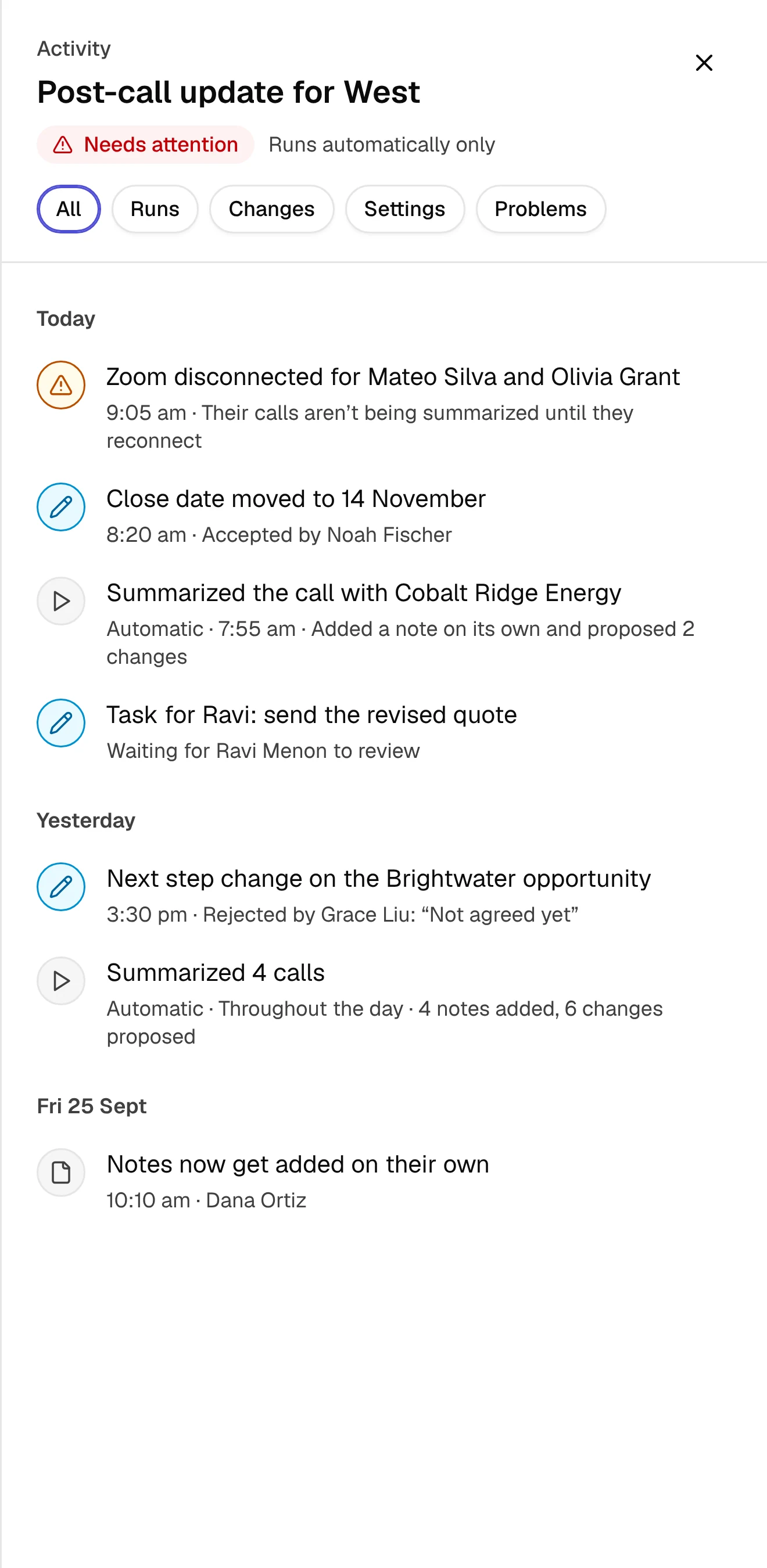
The agents page is the home for all agents. Here, users can easily see the status of each agent, ranging from draft and live to paused and needs attention. Users can also open the activity log for each agent here, with more details about recent runs and who has run it on demand.
Each agent card shows its status, next run and an on/off toggleActivity log of runs, changes and settings, including who ran it on demand
Insightly Intelligence hasn't shipped yet. As the designer on this project, my role was to take the open question of "What's an agent builder?" and turn it into something concrete that every team could react to.
🧱
Where the design landed:
A shared visual for engineering to gauge feasibility and effort
Together with the earlier research, it helped define a list of out-of-the-box connectors
Technical spikes have since been run to learn how best to build those connectors
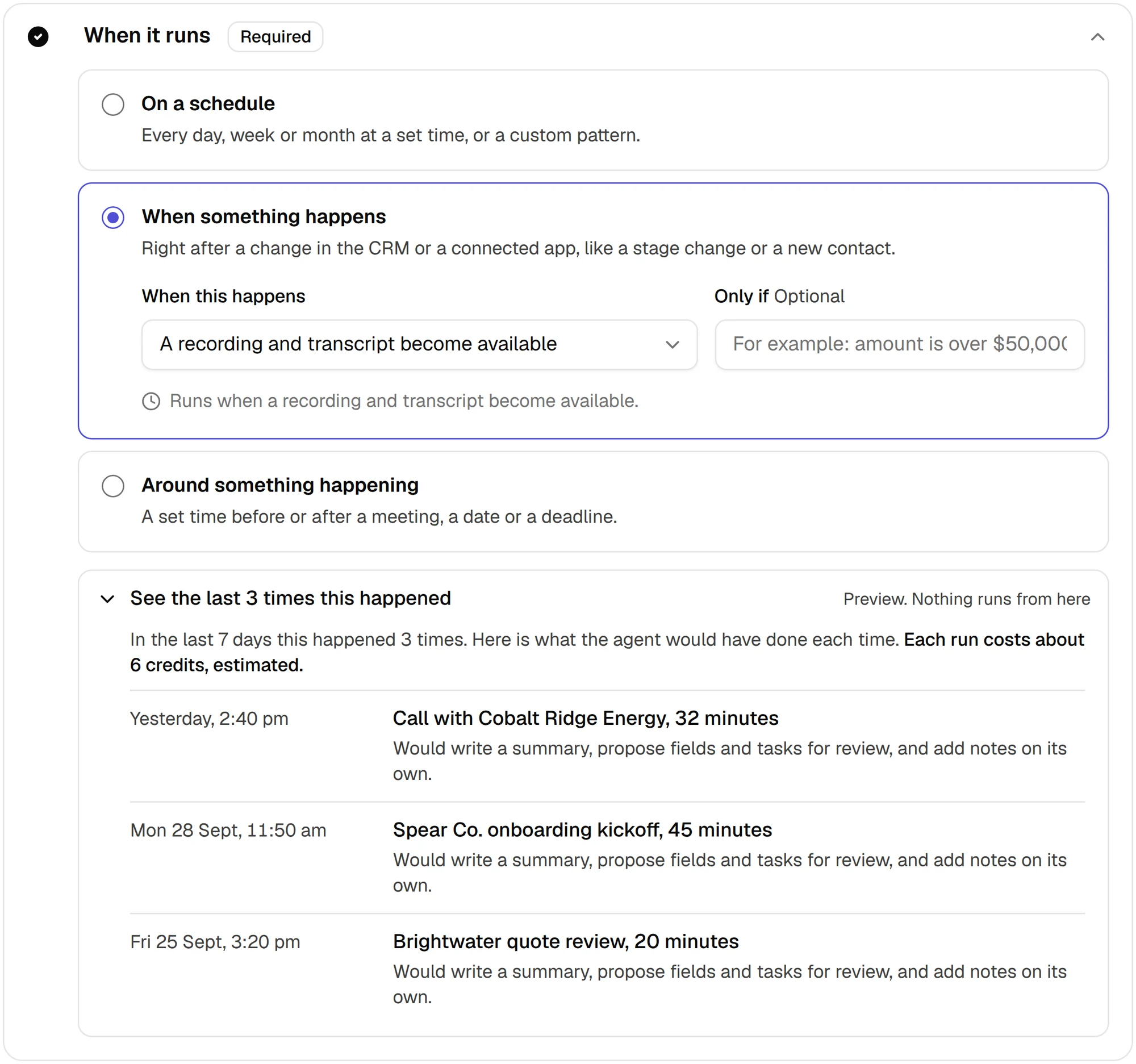
A common language across teams for what an agent is made of: its job, what it can read and change, when it runs, and how it's tested
🔭
What's next:
Bring what the technical spikes learn back into the design
Keep refining the builder as the project's direction is set